Hatch and Habitats Guides Hub
From your first egg to a polished Expo-ready reptile store — every how-to in one place.
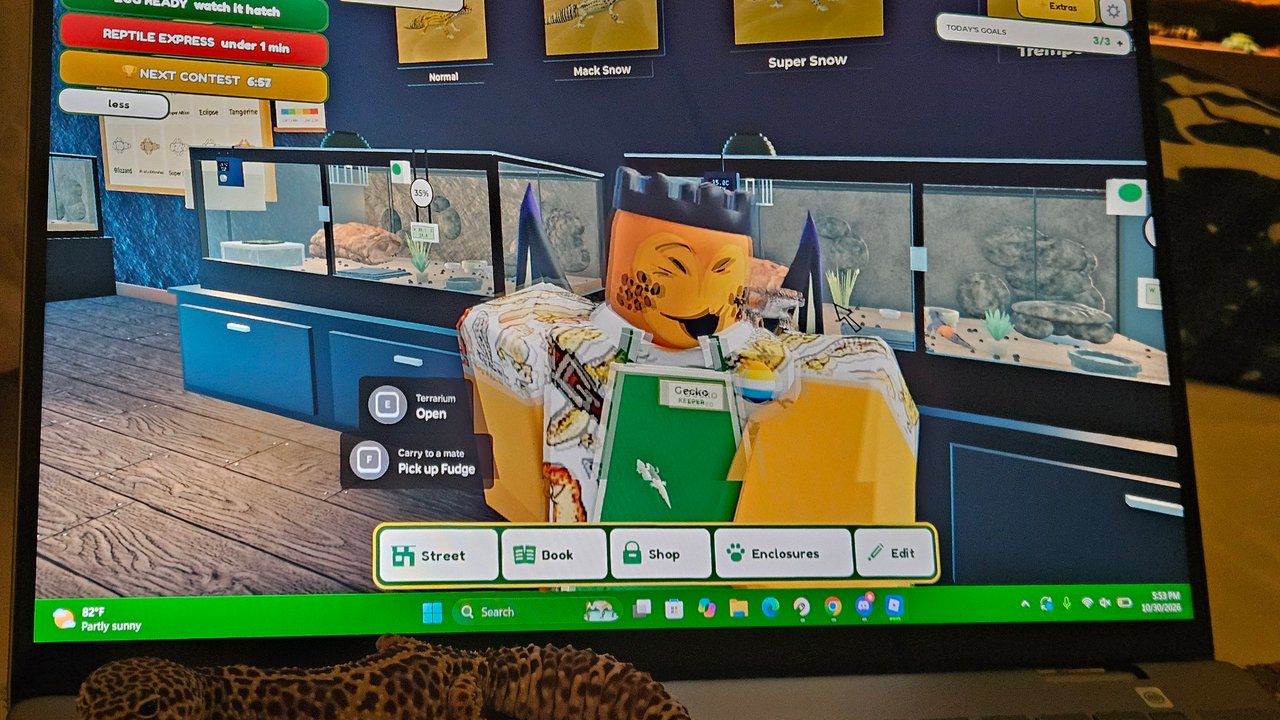
Welcome to the Guides Hub for Hatch and Habitats (often branded [EXPO-EXPANSION] Hatch and Habitats), the Roblox simulation / tycoon by ToyTando. This game is about hatching reptile eggs, designing realistic habitats, caring for your animals, and growing a multiplayer reptile store. Servers hold up to six players, so you will share floor space with other owners while you expand.
If you just joined from the official game page, start with the day-one walkthrough, then branch into hatching, habitat design, money loops, and Expo Expansion features. Every guide below uses the same loop language so advice stays consistent across the wiki.
Where to start
New players should open Getting Started first. It covers joining the experience, claiming your plot or store space, hatching your first egg, placing your first habitat, reading the UI, and what to finish in the first hour. That page also points you toward codes, the tier list, and sibling guides so you do not bounce around blindly.
Once you know the controls and the shop floor layout, use the deep dives below in any order that matches your current bottleneck.
Guide map
Getting Started
Day-one checklist: join, claim space, first egg, first habitat, UI basics, and a sensible first-hour plan. Best entry point for brand-new Habitat Crew members and returning players after a wipe-style refresh.
How to Hatch Eggs
How eggs enter your inventory, what hatching timing feels like in early access, rarity steps from common stock up through standouts players report such as Legendary Ball Python and Mystic Gecko, luck habits that help without promising guaranteed outcomes, and what to do the moment a new reptile hatches.
Build Habitats
Designing enclosures that look good on the shop floor and still feel species-aware: substrate choices, décor density, lighting vibe, matching habitats to the reptiles you just hatched, and presentation tips so customers and other players notice your store.
Make Money
Earning cash from care and customer flow, upgrade priority when funds are tight, and a practical expansion order so you grow the store without starving egg or habitat budgets. Pairs tightly with hatching and habitat guides.
Expo Expansion
What the Expo Expansion branding means for current builds, what changed for players, and how to fold new content into an existing store. Check Updates alongside this guide when ToyTando ships follow-up patches.
Controls
PC, mobile, and console discovery tips for Roblox-standard movement plus shop, care, build, and Expo-era UI. Teaches how to re-find menus after early-access patches instead of relying on outdated key tables.
How these guides fit the game loop
Hatch and Habitats is not a pure combat tycoon. Your progress loop is closer to:
- Acquire eggs through shop purchases or progression rewards.
- Hatch them and identify rarity / species value.
- Build or refine habitats so animals are displayed and cared for properly.
- Serve customers / earn cash from a living store.
- Decorate and expand so the next hatch cycle is faster and prettier.
Guides on this hub each own one slice of that loop. When advice overlaps (for example, habitat quality affecting sales), we cross-link instead of copying whole sections. That keeps Make Money focused on cash and Build Habitats focused on enclosure craft.
Early-access expectations
The experience launched around 18 October 2026 and remains early access / in development. UI labels, egg tables, and Expo features can shift. Prefer in-game tooltips and Habitat Crew sneak peeks over assuming any wiki number is permanent. When something major changes, we update the relevant guide and note it on Updates.
Because the game is free on Roblox (PC, mobile, and console via the Roblox client), guides emphasize time-efficient habits over pay-to-win assumptions. If a paid product appears in your shop UI, treat it as optional acceleration—never as a requirement to finish the first-hour plan in Getting Started.
Related hubs outside Guides
- Codes — redemption steps and honest status on public promo codes (none confirmed as of November 2026 research; we will not invent strings).
- Tier List — species and rarity ranking notes, including community talk around Legendary Ball Python and Mystic Gecko.
- Players — multiplayer store etiquette and server-size context.
- Updates — patch and Expo Expansion changelog-style notes.
- Scripts — community script overview for players who browse that category; use at your own risk and respect Roblox rules.
- Official Links — curated outbound resources.
How to use this hub efficiently
- Skim the guide map and open only the page that matches your blocker (no eggs, ugly habitats, empty cash, or Expo confusion).
- Follow internal links mid-article—every leaf guide links to its siblings with trailing-slash paths.
- After a session, jump back here or to Updates to see if Expo Expansion notes changed your priorities.
- Bookmark the Getting Started checklist if you often help friends onboard; it is written to be shared aloud while they play.
Content standards on this wiki
We avoid inventing promo code strings, fabricated YouTube IDs, or unreleased species lists. Community rarity names that players already report (such as Legendary Ball Python and Mystic Gecko) appear as player-facing examples, not as a complete bestiary. When ToyTando publishes official tables, we align guides to those sources and refresh the tier list.
If you are returning after Expo Expansion marketing art or Habitat Crew teaser posts, read Expo Expansion before rebuilding your whole floor—some presentation tips in Build Habitats matter more once Expo layouts are available.
Suggested reading order for different goals
Brand new: Getting Started → Controls → How to Hatch → Build Habitats → Make Money.
Returning for Expo: Expo Expansion → Build Habitats → Make Money → Tier List.
Cash stuck: Make Money → How to Hatch → Codes.
UI confusion after a patch: Controls → Getting Started → Updates.
Pick a path, keep your store tidy, and hatch with intent. The rest of the Guides Hub is ready when you need the next deep dive.
Frequently Asked Questions
Quick answers about hatching, habitats, and your store.
Which Hatch and Habitats guide should I read first?
Open Getting Started for the day-one walkthrough. Then use How to Hatch, Build Habitats, Make Money, Expo Expansion, or Controls based on your current bottleneck.
Do these guides cover Expo Expansion?
Yes. The Expo Expansion guide summarizes what changed and how to use new content. Pair it with Updates for patch timing and Build Habitats for presentation tips.
Are Hatch and Habitats guides accurate in early access?
They match known facts as of current research: ToyTando simulation/tycoon loop, free Roblox play, server size 6, and Expo Expansion branding. UI details can shift—verify in-game when something looks different.
Where do codes and tier rankings live?
Promo code status is on the Codes hub. Species and rarity ranking notes live on the Tier List hub. Guides link out instead of duplicating those tables.
Is Hatch and Habitats only for PC?
No. It is free on Roblox and playable on PC, mobile, and console through the Roblox client. Guide advice stays platform-agnostic unless a control differs.