Getting Started in Hatch and Habitats
Claim your plot, hatch your first reptile, and leave the first hour with a working store loop.
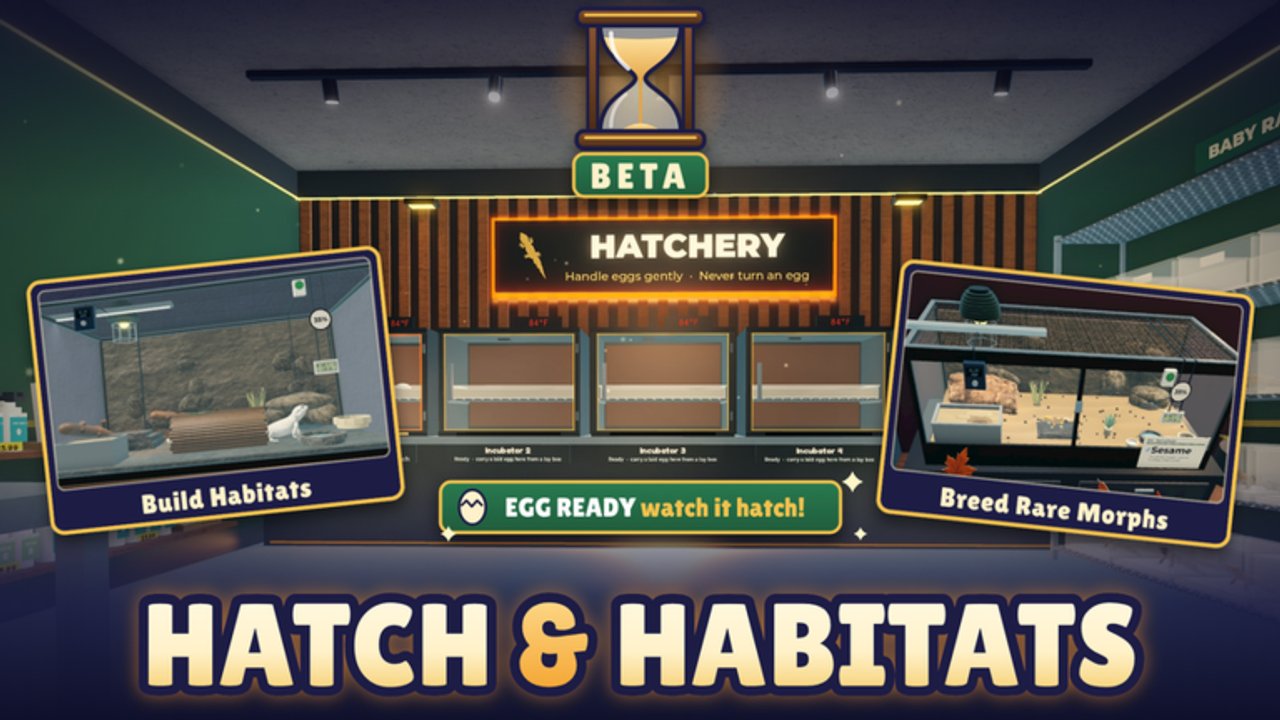
This Getting Started guide is the day-one walkthrough for Hatch and Habitats by ToyTando on Roblox. The experience is a simulation / tycoon loop: hatch reptile eggs, design habitats, care for realistic reptiles, then decorate and expand your store. Branding often shows as [EXPO-EXPANSION] Hatch and Habitats. The game is free, early access / in development since roughly 18 October 2026, and runs on servers of up to six players with online multiplayer stores.
You do not need prior tycoon experience. Follow the checklist below, then deepen skills with How to Hatch Eggs, Build Habitats, Make Money, and Expo Expansion. Keep Codes and the Tier List open in another tab for rewards and species priorities.
Before you join
- Open the Hatch and Habitats Roblox page and confirm you are on the ToyTando listing (universe ID 10771809582, place ID 104758078457134).
- Join Habitat Crew community channels if you want update sneak peeks—useful while the game is still shipping Expo Expansion content.
- Play on a stable connection. Multiplayer stores mean other owners share your server; lag makes placement and care prompts harder.
- Skim Codes once. As of November 2026 research there are no confirmed public promo codes—do not trust random invented strings from unverified lists.
Step 1 — Join and claim your plot or store
Launch the experience from Roblox (PC, mobile, or console via the Roblox client). After loading, look for the claim / plot / store prompt on the floor. Early-access UIs change labels, but the goal is the same: secure your own store space before decorating someone else’s pad.
Tips while claiming:
- Walk the full footprint so you understand where customers will path and where egg or habitat stations sit.
- Note neighboring stores. With a six-player cap you will see a handful of rivals or cohabitants—be polite when browsing their floors (Players covers etiquette).
- If the tutorial arrow exists, finish it before free-building. Tutorials usually unlock the hatch and habitat interactions you need next.
Once the plot is yours, pause and locate cash, inventory, and any Expo-related buttons so later guides make sense in context.
Step 2 — Get and hatch your first egg
Your first meaningful action is acquiring an egg and hatching it. Eggs typically come from the in-game shop or early progression rewards—exact prices shift in early access, so trust the on-screen cost over any outdated screenshot.
Follow this first-hatch flow:
- Open the egg purchase or reward claim UI and buy / claim the cheapest available egg if cash is tight.
- Place or activate the egg in the hatch interaction the game highlights.
- Wait out the hatch timer. Use the idle time to walk your empty habitats and plan substrate later (see Build Habitats).
- When the reptile appears, identify the species and any rarity tag. Community talk often mentions standouts such as Legendary Ball Python and Mystic Gecko—your first hatch may be common stock, and that is fine.
Full hatching mechanics, rarity ladders, and luck habits live in How to Hatch Eggs. For day one, success means one living reptile in your care, not a perfect mystic roll.
Step 3 — Place your first habitat
A hatched reptile needs a home. Open the habitat build or placement tools and drop a basic enclosure on your floor. Match size and vibe to the animal as best the early kit allows—do not wait for a perfect décor set before housing them.
Minimum first habitat goals:
- Reptile is assigned / placed so care prompts can fire.
- Substrate or floor covering is set (even a default option counts).
- At least one décor or lighting piece is added so the enclosure does not look abandoned to customers.
- The habitat faces a natural customer path if the shop has visible walkways.
Deeper design—species matching, lighting mood, Expo-era presentation—belongs in Build Habitats. Day one only needs a functional, readable enclosure.
Step 4 — Learn the UI without drowning
Spend five focused minutes mapping interfaces:
- Cash / economy readout — know where earnings appear after care or customer visits.
- Inventory / eggs / reptiles — find hatched animals and unused eggs.
- Build / décor catalog — habitats, substrate, props, lighting.
- Care interactions — feeding, cleaning, or whatever prompts the current build shows.
- Shop or upgrade panels — expansions you will buy later in Make Money.
- Social / server list cues — who else shares the six-player instance.
If Expo Expansion chrome is visible (banners, Expo-themed buttons, new décor tabs), note it but do not rebuild your entire floor yet—read Expo Expansion after the first hour.
What to do in the first hour
Use this timed checklist. Adjust if a tutorial forces a different order.
Minutes 0–10: Join, claim plot, finish tutorial prompts, locate cash and build menus.
Minutes 10–25: Buy or claim first egg, start hatch, sketch where habitats will sit along customer paths.
Minutes 25–40: Hatch completes → place first habitat → assign reptile → add basic substrate and one décor piece → trigger any care action once.
Minutes 40–55: Earn the first bits of cash from care or early customers; reinvest in a second egg or a small habitat upgrade—not both if funds are low. See upgrade priority in Make Money.
Minutes 55–60: Snapshot your goals: second habitat slot, cleaner shop front, or checking Updates / Habitat Crew notes for Expo changes. Optionally skim the Tier List so you recognize strong species names when they appear.
If you finish early, decorate the entrance and walk another player’s store for layout ideas—do not steal props; observe pathing and density.
Common day-one mistakes
- Skipping the claim step and decorating shared space that is not yours.
- Hoarding eggs without habitats ready—hatch throughput dies when animals have nowhere to live.
- Spending all cash on décor before a second egg or care upgrades.
- Ignoring rarity tags on hatches; even if you keep commons, learn the labels for later tier decisions.
- Chasing fake codes from unverified sites—use only Codes on this wiki and official channels.
- Rebuilding for Expo mid-tutorial before understanding the base loop.
After the first hour — where next
| Goal | Next page |
|---|---|
| More / better hatches | How to Hatch Eggs |
| Prettier, species-aware tanks | Build Habitats |
| Faster cash and expansion | Make Money |
| New Expo content | Expo Expansion |
| Species priority | Tier List |
| Patch notes | Updates |
| Reward redemptions | Codes |
Return to the Guides Hub whenever you need the full map. The rest of the wiki assumes you completed this Getting Started loop at least once.
Platform notes
Controls differ slightly across Roblox clients, but the loop does not. On mobile, favor larger placement snaps and confirm habitat assignment before walking away. On console, map build and care actions to comfortable buttons before a long décor session. PC players can multitask wiki tabs more easily—keep this page open while friends onboard.
Mindset for early access
Hatch and Habitats will keep changing under Expo Expansion and later updates. Treat this guide as a stable loop primer, not a frozen UI manual. When labels move, the sequence still holds: claim → hatch → house → care → earn → expand. Habitat Crew sneak peeks and the Updates hub are your signal that a step needs a refresh.
Play the first hour for clarity, not perfection. A single well-housed reptile and a readable shop floor beat a chaotic showroom with empty tanks. Then graduate into the specialized guides linked above and grow the store with intent.
Frequently Asked Questions
Quick answers about hatching, habitats, and your store.
What should I do first in Hatch and Habitats?
Join the Roblox experience, claim your plot or store, finish tutorial prompts, hatch your first egg, place a basic habitat, and complete one care action before heavy decorating.
How long is the recommended first session?
About one hour covers claim, first hatch, first habitat, UI mapping, and a small reinvestment. Use the timed checklist in this guide to stay on track.
Do I need promo codes to start?
No. The game is free to play. As of November 2026 research no confirmed public promo codes were found—check the Codes hub for honest status instead of invented strings.
Where do I go after Getting Started?
Use How to Hatch for eggs and rarities, Build Habitats for enclosure design, Make Money for cash and upgrades, and Expo Expansion if you are exploring the current Expo-branded content.
Is Hatch and Habitats multiplayer on day one?
Yes. Servers support up to six players with online multiplayer stores. Claim your own space and respect neighboring floors while you learn.