Hatch and Habitats Habitat quality checklist
A fast pass/fail scan so every enclosure looks cared for before customers walk by.
Why a checklist beats guessing
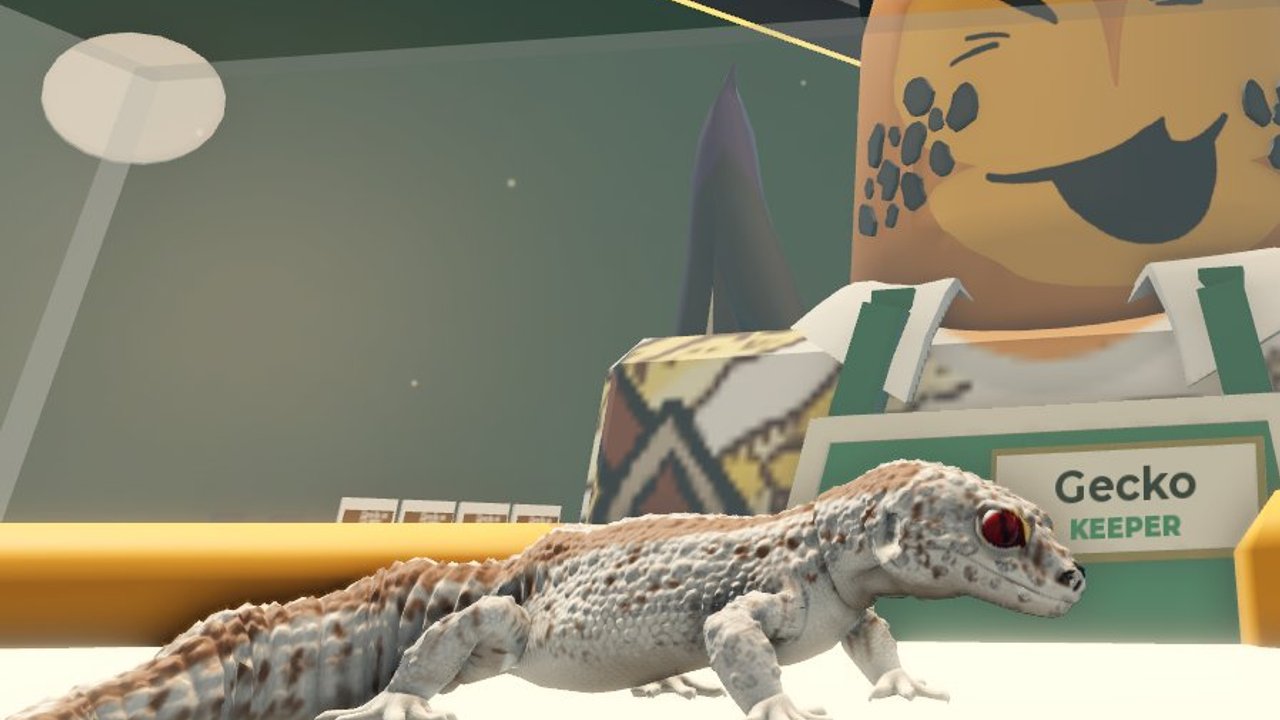
In Hatch and Habitats, a rare reptile in a bare tank underperforms a common gecko in a styled habitat. Customers respond to presentation. This checklist turns the advice from build habitats into a repeatable audit you can finish in a couple of minutes per shelf.
Use it after every hatch, after Expo Expansion décor drops, and whenever a section of the store feels ignored. Cross-check species preferences in the reptile index and prioritize showpiece animals from the reptile tier list.
Pre-build setup
- Confirm you have an empty habitat slot or a tank you are willing to restyle.
- Decide which reptile will live here (species and rarity).
- Clear leftover props that clash with the new theme.
- Stand in the aisle view—make sure the glass face is visible from the main path.
If you are still learning placement controls, skim Getting Started before decorating under time pressure.
Substrate and floor layer
- Substrate covers the full floor without bald corners.
- Color contrast helps the reptile silhouette read from a distance.
- Moisture-looking or arid style matches the species fantasy (desert gecko vs tropical snake).
- No floating props clipped through the floor.
A clean substrate pass is the fastest way to make an enclosure feel finished. Players who skip it often stack plants on invisible flooring and wonder why the shop looks unfinished in screenshots.
Hides, climbing, and enrichment
- At least one hide or cave where the animal can tuck away.
- Climbing branch, cork, or rock for arboreal species when relevant.
- Open basking-style space so the model is not fully buried.
- Props scaled to the tank—oversized décor that clips the glass fails the check.
Balance is the goal. A habitat packed wall-to-wall with props reads messy; an empty box reads lazy. Aim for a readable focal point with supporting greenery.
Foliage and backdrop
- Plants or moss break up empty vertical space.
- Backdrop or wall décor exists when the tank sits against a shop wall.
- Colors complement neighboring habitats instead of clashing rainbow noise.
- Leaf density still leaves a clear window to see the reptile.
Expo Expansion often adds new plant kits—rotate one new piece into older tanks so the whole store feels updated, not only the newest shelf. Track feature notes on Expo Expansion.
Lighting and mood
- Habitat lighting feels intentional (warm glow, soft daylight, or themed accent).
- The animal remains visible; avoid pitch-black corners as the only look.
- Shop ceiling lights do not wash the tank into a flat gray slab.
- Night-style setups still show silhouette for browsers walking past.
Mood sells the premium fantasy. Even simple lighting upgrades can lift perceived value before you afford the next legendary egg. Reinvest gains using ideas from make money.
Signage, labels, and aisle presentation
- Tank faces the customer path.
- Nearby signage or shelf labels are readable if the game provides them.
- High-rarity reptiles sit closer to the entrance or eye-level rows.
- Aisle is clear—no décor blocking the walkway in front of glass.
- Neighboring tanks share a coherent theme block (desert row, rainforest row).
Presentation is a sales funnel. Put Mystics and Legendaries where traffic naturally stops, then fill deeper shelves with solid mid-tiers. Egg priorities stay on how to hatch and the eggs tier list.
Care and readiness gate
- Correct reptile assigned to this habitat (no empty show tanks unless intentional).
- Care or happiness indicators look healthy if shown in UI.
- You can explain in one sentence why this enclosure fits the species.
- Screenshot test: would you proudly post this tank to Habitat Crew?
If any gate fails, fix before spending on another egg. Capacity without quality dilutes the store brand.
Batch audit for the whole shop
Once individual tanks pass, zoom out:
- Count empty or half-finished habitats—schedule them next session.
- Note which rarity tiers dominate the front row.
- Pick one theme block to upgrade with Expo Expansion décor.
- Send leftover cash toward eggs that fill gaps in your tier list goals.
Return to the Tools Hub for the daily routine planner, and keep codes handy when promos drop free décor or cash boosts.
Example ten-minute restyle sprint
Minute 0–2: pick the ugliest tank. Minute 2–5: substrate + hide. Minute 5–8: foliage + lighting. Minute 8–10: rotate the reptile toward the glass and clear the aisle. Repeat on a second tank if time remains. Short sprints keep Hatch and Habitats sessions satisfying even on mobile.
Keep the checklist living
ToyTando is actively developing the experience. When new habitat pieces ship, add a personal note under foliage or lighting rather than ignoring the update. Community discoveries about preferred setups for Ball Pythons, Mystics, and new Expo species belong in your notes beside the reptile index.
Official game access remains on the links hub. This checklist exists so every enclosure you build looks intentional, photographable, and ready for customers the moment they enter your Hatch and Habitats store.
Frequently Asked Questions
Quick answers about hatching, habitats, and your store.
How long does one habitat check take?
Most tanks take two to five minutes. Use the ten-minute restyle sprint above when you only have a short Roblox session.
Do I need perfect décor before hatching?
Hatch first if slots are free, but run this checklist before you call the enclosure finished. Presentation affects how impressive rare reptiles feel. See build habitats.
Should front-row tanks be my rarest reptiles?
Usually yes. Put high-tier animals where traffic is highest, guided by the reptile tier list.
Where do I learn species-specific needs?
Start with the reptile index and adjust substrate or foliage to match each animal’s fantasy biome.
What if Expo Expansion adds new props?
Re-run the foliage and lighting sections after reading Expo Expansion, then rotate one new prop into older tanks for a whole-store refresh.