Hatch and Habitats Build and Design Habitats
Turn empty tanks into species-aware showpieces that sell the fantasy of a real reptile store.
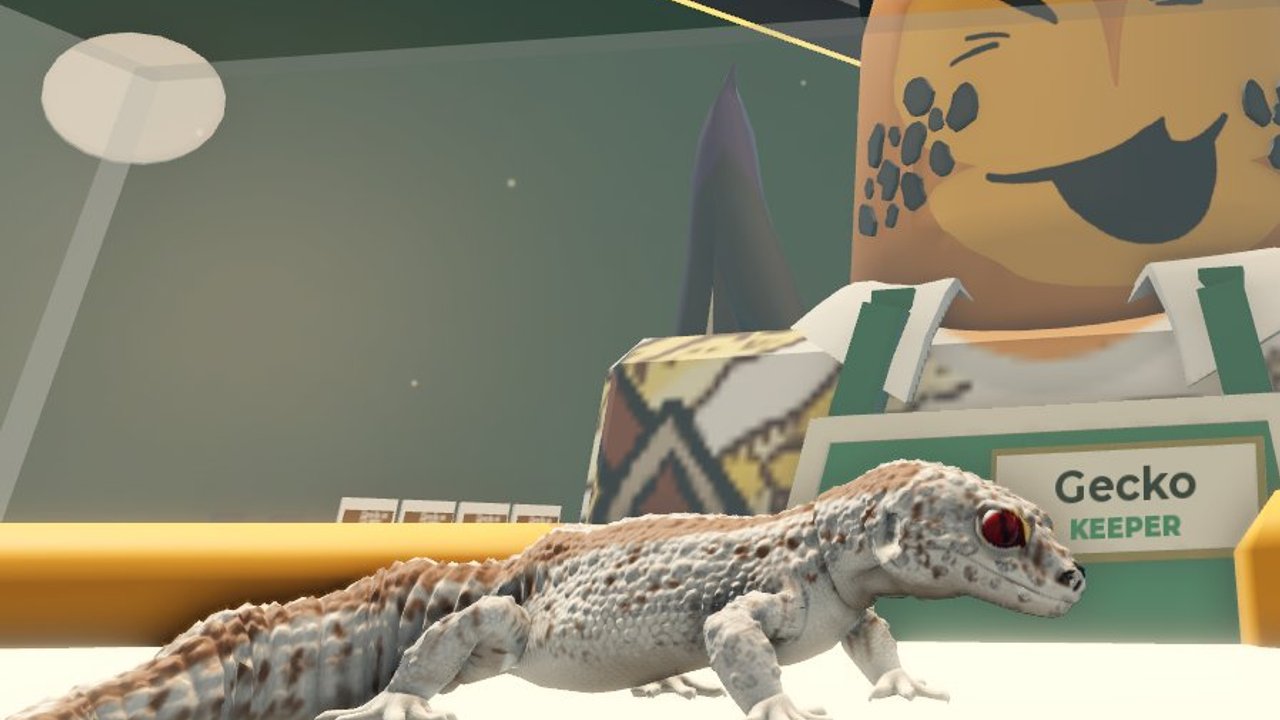
Habitats are where Hatch and Habitats stops being “egg clicker” and becomes a store you are proud to show. This guide covers designing enclosures: substrate, décor, lighting vibe, matching species needs, and shop presentation so customers and other players on your six-person server notice your floor. It assumes you already claimed a plot and hatched at least one animal—if not, finish Getting Started and How to Hatch Eggs first.
ToyTando’s simulation / tycoon loop rewards players who treat tanks as living displays. Expo Expansion branding adds new presentation toys over time (Expo Expansion), but the fundamentals below stay useful even when catalogs change.
Habitat design goals
Every enclosure should clear four bars:
- Functional — the reptile is assigned and care prompts can complete.
- Readable — a visitor understands the biome vibe in two seconds (desert, forest, humid hide, bright basking).
- Comfortable density — enough props to feel lived-in, not so many that the animal or UI is buried.
- Shop-aware — faces traffic paths, lighting guides the eye, and rare animals get hero placement.
If a tank fails bar one, fix assignment before buying more décor. Pretty empty frames do not earn (Make Money).
Substrate: the foundation layer
Substrate is the floor story of the habitat. Even when early-access options are limited, pick a covering that matches the species fantasy:
- Sandy / arid looks for animals you imagine as desert or scrub dwellers.
- Mulch / soil / leaf tones for forest or humid vibes.
- Clean simple pads when you are still learning placement—clarity beats mismatched clutter.
Workflow:
- Place or select the habitat shell.
- Apply substrate before stacking tall décor so props sit naturally.
- Recheck after moving the tank; some builds reset visuals when relocated.
- Keep a mental map of which substrate pairs with which species so future hatches drop into ready themes.
When Expo Expansion adds new floor kits, upgrade hero tanks first—the ones holding higher rarities from your hatch log or Tier List priorities.
Décor without chaos
Décor sells realism: hides, branches, rocks, plants, water features, and shop-branded props. Use a simple layering rule:
- Back wall — tall pieces and climbing structures.
- Mid tank — focal props the animal can “use” visually.
- Front edge — low pieces so customers see into the enclosure.
- Negative space — leave a clear pocket where the reptile model remains visible.
Density tips:
- Starter tanks: three to five props max until you learn scale.
- Showcase tanks (legendary / mystic talk such as Legendary Ball Python or Mystic Gecko): invest more, but keep the animal readable from the aisle.
- Avoid identical spam of one prop; vary height and silhouette.
- Duplicate successful layouts across commons to save time, then customize hero tanks.
If the catalog feels thin, check whether Expo tabs unlocked new sets (Expo Expansion) before spending all cash on duplicates.
Lighting vibe
Lighting is the fastest mood shift in a Roblox store. Aim for:
- Warm basking glow on arid or daytime displays.
- Cooler or dappled light on humid / forest tanks.
- Accent spots on rare animals so eyes travel there first.
- Consistent aisle lighting so the whole shop feels intentional, not a strobe of mismatched colors.
Practical habits:
- Set a default light for each biome template you reuse.
- Brighten the entrance habitat row—first impressions drive customer curiosity.
- Dim storage or WIP tanks at the back so unfinished work does not undercut the showroom.
- Revisit lights after Expo décor drops; new fixtures may replace older placeholders.
Lighting also helps multiplayer etiquette: clear brightness tells neighbors which pads are display-ready versus under construction (Players).
Matching habitats to species needs
You do not need a biology degree—match fantasy needs the game telegraphs through species names, rarity flair, and model silhouettes:
| Signal | Habitat lean |
|---|---|
| Python / heavy-bodied snakes | Longer footprint, sturdy hides, warmer light |
| Geckos / climbers | Vertical props, branches, secure-looking perches |
| Bright mystic / legendary tags | Hero lighting, cleaner glass line, premium substrate |
| Starter commons | Simple readable tanks; optimize for care speed |
Process after each hatch (How to Hatch Eggs):
- Identify species + rarity.
- Pick the closest biome template you already built.
- Swap two to three props if the silhouette disagrees (add climb vs add ground hide).
- Run care once to confirm the assignment stuck.
- Only then open the cash shop for specialty décor.
When the Tier List flags a species as high priority, give it the best open sightline on your floor—even if that means moving a common row sideways.
Shop presentation and customer flow
Your habitats exist inside a store, not a private zoo. Presentation rules:
- Entrance row — your cleanest three tanks; include at least one eye-catching animal if you have one.
- Theme blocks — group arid together and humid together so the aisle tells a story.
- Rare island — one focal enclosure with extra lighting for trophy hatches.
- Utility corner — hatch station, storage, and WIP builds away from the main loop.
- Expansion seams — leave space to grow when Make Money funds the next footprint.
Walk your own aisle as if you were a customer. If you cannot see animals through prop clutter, delete or rearrange. Screenshot references from Habitat Crew sneak peeks can inspire Expo-era layouts without copying another player’s private build tile-for-tile.
Build order for a new floor
- Claim / confirm plot (Getting Started).
- Place minimum habitats for current reptiles.
- Apply substrate templates.
- Add low décor + one light each.
- Assign animals and complete care.
- Upgrade hero tank presentation.
- Reinvest surplus into eggs or expansion—not infinite prop spam.
- After Expo content drops, retrofit entrance and rare island first (Expo Expansion).
Budgeting décor vs progression
Décor is visible progress, but empty wallets stop hatching. A healthy split while learning:
- Fund care and habitat slots first.
- Keep a buffer for the next egg.
- Spend remaining cash on presentation upgrades for tanks customers actually see.
- Delay cosmetic-only purchases for back-row WIP spaces.
Details on upgrade priority live in Make Money. Habitats that speed care or unlock customer appeal beat pure vanity props.
Multiplayer store considerations
On a six-player server your floor is public theater:
- Do not block shared paths with oversized props.
- Keep hatch and care animations from spilling into a neighbor’s entrance if the layout is tight.
- Tour other stores for substrate and lighting ideas, then adapt—do not grief.
- If Expo Expansion adds shared showcase spaces, read the patch notes on Updates before parking temporary builds there.
Quality checklist before you log off
- Every owned reptile has an assigned habitat.
- Substrate matches the intended biome story.
- At least one light per display tank.
- Entrance row is uncluttered and readable.
- Rare animals have accent lighting or prime placement.
- WIP mess is pushed to the utility corner.
- Cash buffer remains for eggs or expansion.
Related guides
Build habitats like a shopkeeper who loves reptiles: clear, themed, and ready for the next hatch. When Expo décor arrives, you will already know which tanks deserve the upgrade first.
Frequently Asked Questions
Quick answers about hatching, habitats, and your store.
What makes a good habitat in Hatch and Habitats?
A good habitat houses the reptile for care, reads as a clear biome in two seconds, keeps props dense but not blinding, and faces customer traffic with sensible lighting.
Should substrate come before décor?
Yes. Apply substrate first so props sit naturally and the biome story is set before you layer hides, plants, and climbing pieces.
How do I showcase rare reptiles?
Give legendary or mystic highlights hero placement, cleaner sightlines, accent lighting, and premium substrate. Keep commons tidy in themed rows so the whole store still feels full.
Does Expo Expansion change habitat building?
Expo Expansion adds presentation and content updates over time. Fundamentals stay the same—retrofit entrance and rare tanks first when new décor kits appear.
How much should I spend on décor versus eggs?
Fund habitat slots and care first, keep a buffer for the next egg, then upgrade visible tanks. Avoid draining cash on back-row vanity props.